
All users can report a problem by emailing support@raceful.ly
Please let us know about the make and model of your phone, which version of iOS or Android it is running, and if possible include a screenshot of the problem.
Built-in problem reporting (iOS)
iOS users have the option of using built-in problem reporting, which automatically provides the phone information and screenshot.
Go to Settings and turn on Troubleshooting Mode. Then simply capture the app screen causing the issue:
- iPhone X and later: briefly hold down the volume-up and power buttons at the same time
- Earlier models: briefly hold down the home and power buttons at the same time
A message will pop-up in the app asking if you'd like to report a problem or send us feedback.
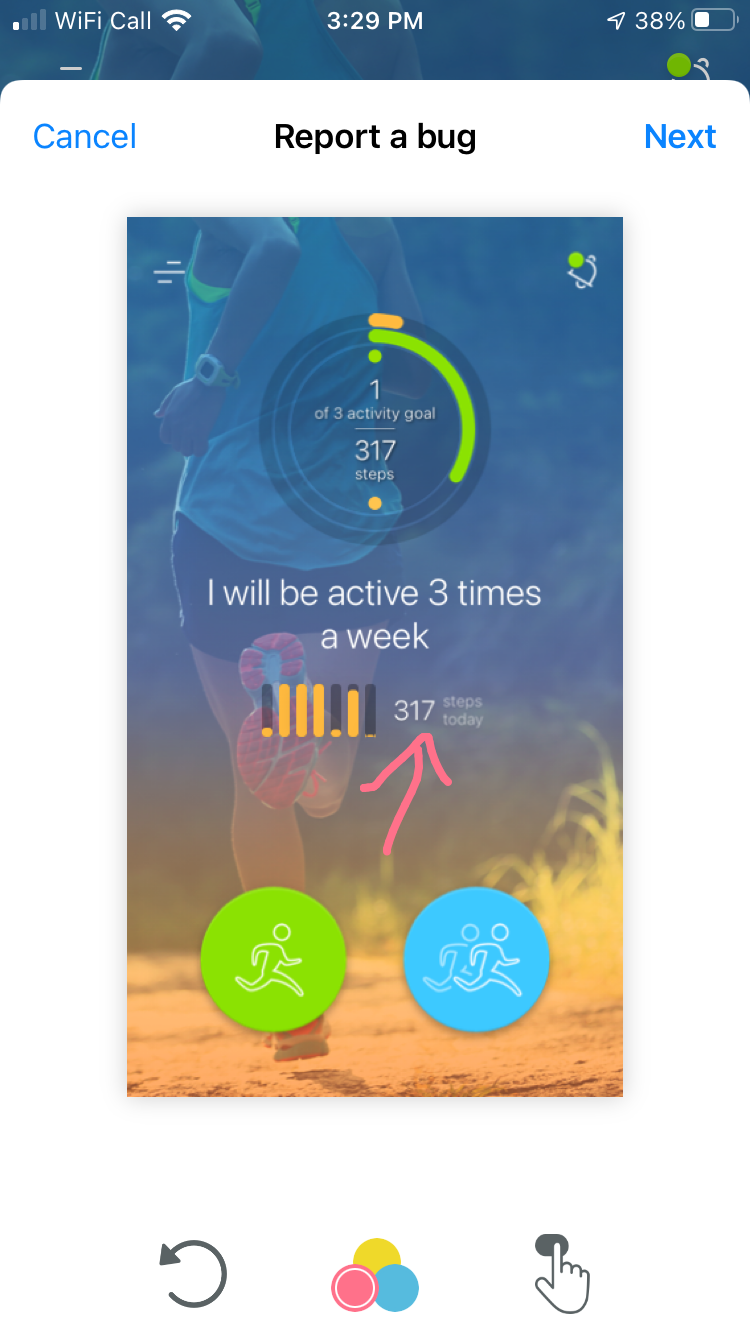
You can draw on the screenshot to highlight what's wrong, and include a brief explanation of the problem you experienced before sending it to our support team. We will review it as quickly as possible!
The pop-up screen will look something like this:
If the problem only happens occasionally, you can leave Troubleshooting enabled until it happens. Otherwise turn Troubleshooting off again after you've reported the problem.